Make every screenshot
feel intentional.
Drop in a capture. Frame it, light it, share it — fully in the browser. No watermark, no upload, no compromise.
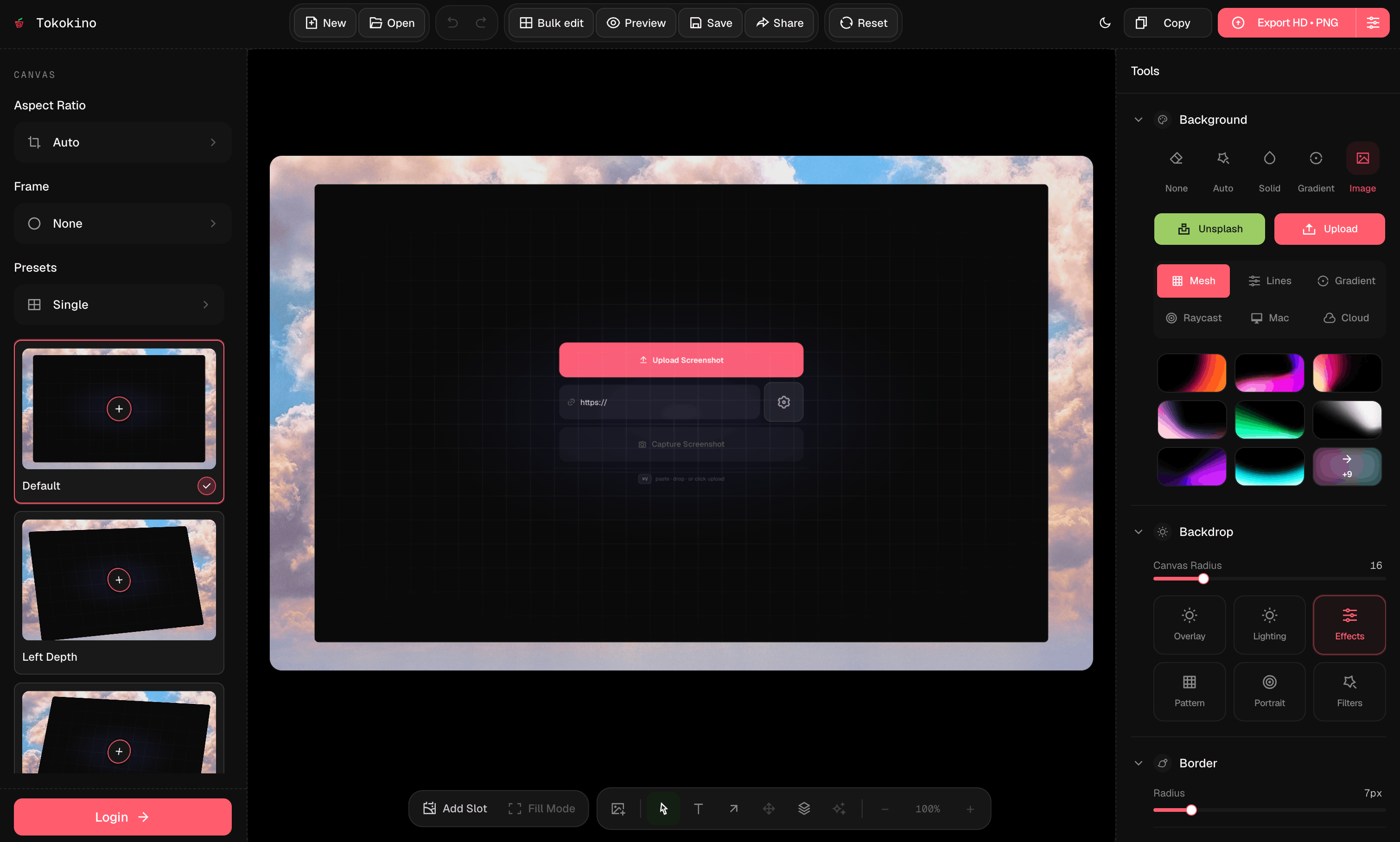
Screenshot polish, without opening Figma.
Device frames
Pixel-true mockups for iPhone, iPad, Galaxy, Pixel, MacBook, iMac, Apple Watch, and browser chrome — Safari, Chrome, Arc.
Auto palettes
Backgrounds sampled directly from your screenshot. Gradients that actually belong.
Shadows & effects
6 shadow types — Drop, Soft, Hard, Glow, Float, Linear — with intensity and custom color.
Aspect ratio control
Switch between 16:9, 1:1, 4:3, 9:16 and custom ratios. Zoom is independent of export resolution.
Layers & assets
Stack text, images, and SVGs over your screenshot. z-index, opacity, blend modes, and filters per layer.
Annotations & text
Draw arrows, shapes, freehand strokes. Floating text with 100+ Google Fonts and blend modes.
Export anywhere
PNG, JPEG, or WebP at HD, 4K, or 8K. Copy to clipboard in one click or share a public link.
Local-first
Edits stay in your browser. Nothing uploaded until you share. Host where you want.
Multi-screenshot
Up to 3 extra screenshot slots per canvas with layout presets — Side by Side, Depth Duo, Fan Out, and more.
Faster than a design tool, sharper than a capture app.
Tokokino sits in the narrow space between screenshot utilities and full design suites: focused enough to be quick, flexible enough to ship polished product visuals.
Versus Figma
Great when you need a full design file. Slow when you only need one polished screenshot.
Tokokino
Drop, frame, annotate, export, and move on.
Versus Canva
Useful for social templates, but screenshot controls get buried inside generic design tools.
Tokokino
Built around device frames, canvas ratios, shadows, and product-shot export.
Versus CleanShot / Shottr
Excellent capture tools. Styling usually stops at quick markup and simple backgrounds.
Tokokino
Turns existing captures into launch-ready visuals with layers and share links.
Made for the screenshot jobs that keep coming back.
Tokokino keeps repeat visual work short: choose the right frame, apply a sharp backdrop, add only the context that helps, then export.
Launch posts
Turn a raw app capture into a clean social card for X, Product Hunt, LinkedIn, or a changelog.
App store visuals
Frame mobile and desktop screens with device mockups, balanced padding, and export-ready resolution.
Feature announcements
Add arrows, labels, overlays, and multi-shot layouts when one screenshot needs a little narrative.
Docs and guides
Create readable UI screenshots for help docs without dragging every image through a design file.
A guided tour of the real editor.
The preview uses the same demo shot shown in the product mockup. Click a step to move the spotlight over the matching part of the flow.
Common questions
Questions, ideas, or bugs?
Send a note, follow updates, or open the source. Tokokino is built in public and small thoughtful messages are very welcome.
Screenshot and mockup
polish that ships.
Create professional screenshot and device-mockup visuals with clean framing, balanced styling, and export-ready output.